Outfit Generator with Black Models
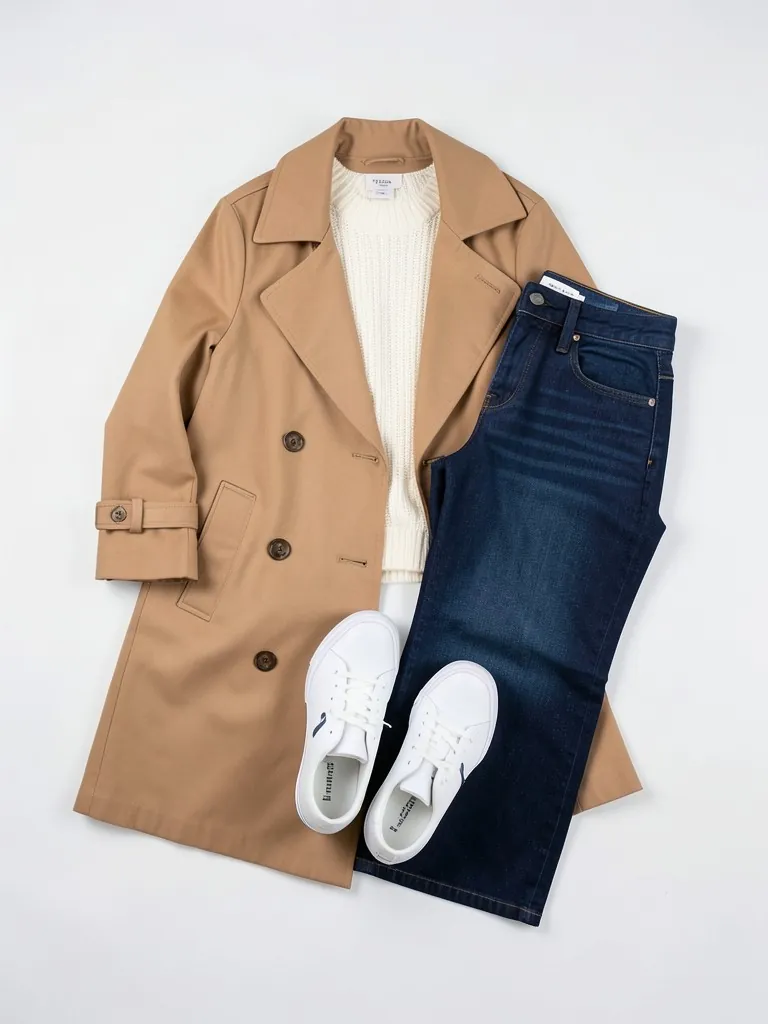
Lay out the pieces of one look together, take one photo, and see the whole outfit worn by an AI-generated adult Black woman or man of the age, build and skin tone you choose.
1Upload your outfit photo
Click or drop a JPG, PNG or WEBP (max 10 MB).
All pieces of one outfit laid out together in one photo (flat or on hangers), on a plain background. No people in the photo.
2Choose your model
Models are AI-generated adults, not real people.
What is in the outfit
Model
Age
Build
Skin tone
Hair
Background
Your first image is free. Free accounts get 20 monthly credits (free images carry a small watermark).
Your model photo will appear here.
Example results
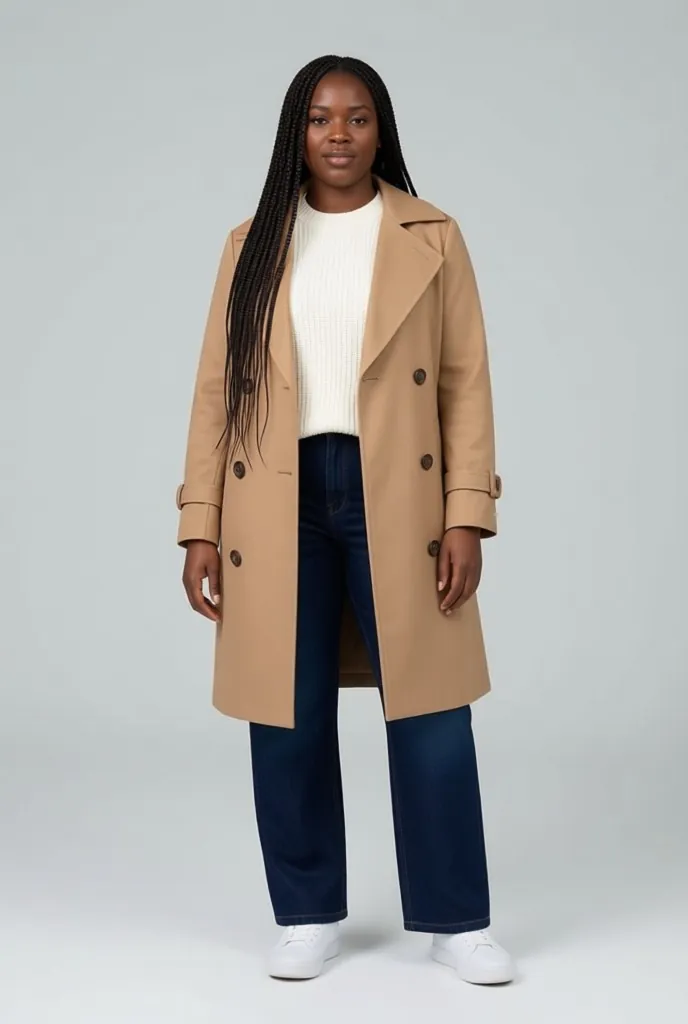
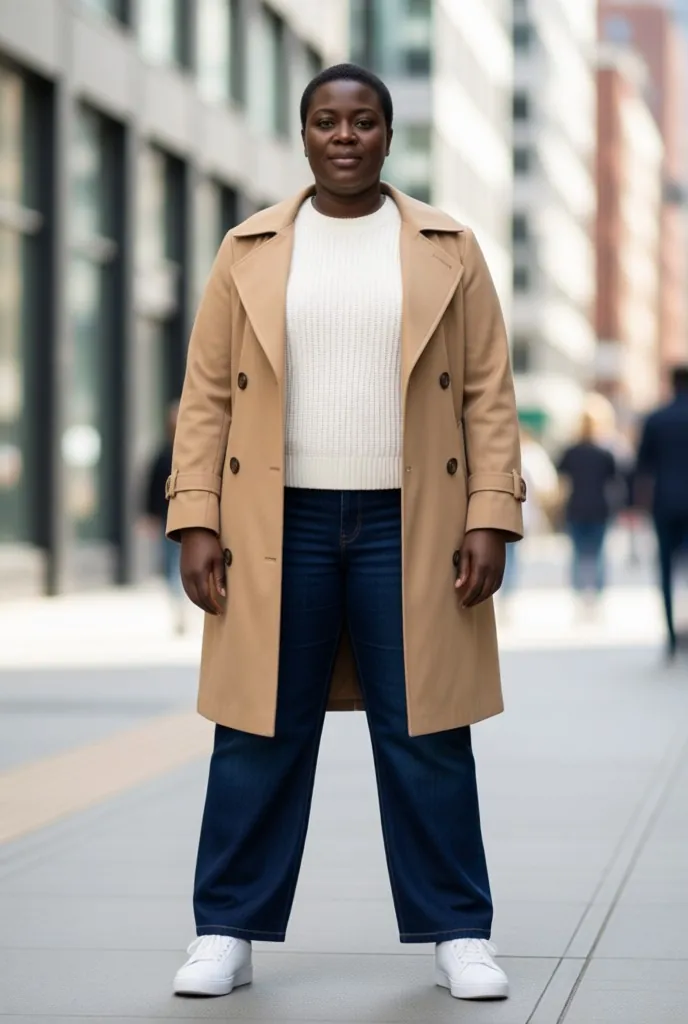
How the outfit generator works
1. Lay out the outfit
Put every piece on a plain surface the way it is worn, jacket over the top, bottoms below, shoes at the bottom, and photograph it from above.2. Say what is in it and pick a model
Top and bottoms, with a jacket, a dress with shoes and bag, or a suit; then woman or man, age, build, skin tone and hair.3. Download the look
Get a full-length photo of the whole outfit on a white, grey or city street backdrop.
Sell the whole look, not one piece
Shoppers buy outfits. A top on its own rarely sells the trousers, shoes and bag that go with it, and styling full looks on a model usually means a shoot. This outfit generator works from one flat-lay photo of pieces you already sell and shows them worn together by an AI-generated adult Black model.
Pick a woman or man, from slim to plus-size, in their 20s to 50s+, and the hair and skin tone that match your customers. Use it for shop-the-look bundles, capsule launches and lookbooks. The AI only wears what is in your photo and adds plain neutral pieces where something is missing.
More tools for your product photos: Black male model for clothing, AI Black female model for clothing, Black streetwear model generator, Black activewear model generator, Evening gowns on Black models, Hair accessories on Black models, Jewelry on Black models, All AIBlacks tools.
Outfit generator questions
Is the model a real person?
No. Every model is AI-generated and every model is an adult. The tool never uses or copies a real person's face.
What does this outfit generator do?
It turns clothes you already have into a worn outfit: one photo of the pieces laid out together goes in, and an AI-generated Black model wears all of them. It does not invent clothes you do not sell.
How many pieces can I include?
Up to about four: a top, bottoms, shoes and a bag, a jacket over a top and bottoms, or a dress with shoes and a bag. Fewer, larger pieces come out most accurately.
How should I photograph the outfit?
On a plain floor or sheet, every piece fully visible and not overlapping much, shot from straight above in even light. Photos that show a person are rejected.
Will every item look exactly the same?
The AI is told to keep each item's color, print and details. Small logos and fine text are the hardest. Compare each piece with the real one before you publish.
How much does it cost?
Your first image is free. After that, a free account gets 20 monthly credits (free images carry a small watermark). Paid plans remove the watermark.
Label owners can build a full launch from one outfit: AI models for clothing brands and AI models for Shopify stores.
AI models for your clothes
Show your pieces on models of every skin tone, body and style: men, women, streetwear, activewear, evening wear, wigs and jewelry.
- AI Black Fashion Model Generator
- AI Female Model for Clothing
- AI Male Model for Clothing
- AI African Model Generator
- AI Jamaican Model
- AI Black Model
- AI Man Generator
- AI Woman Generator
- AI Streetwear Model
- AI Activewear Model
- AI Evening Gown Model
- AI Wig Model Generator
- AI Hair Accessories Model
- AI Jewelry Model